

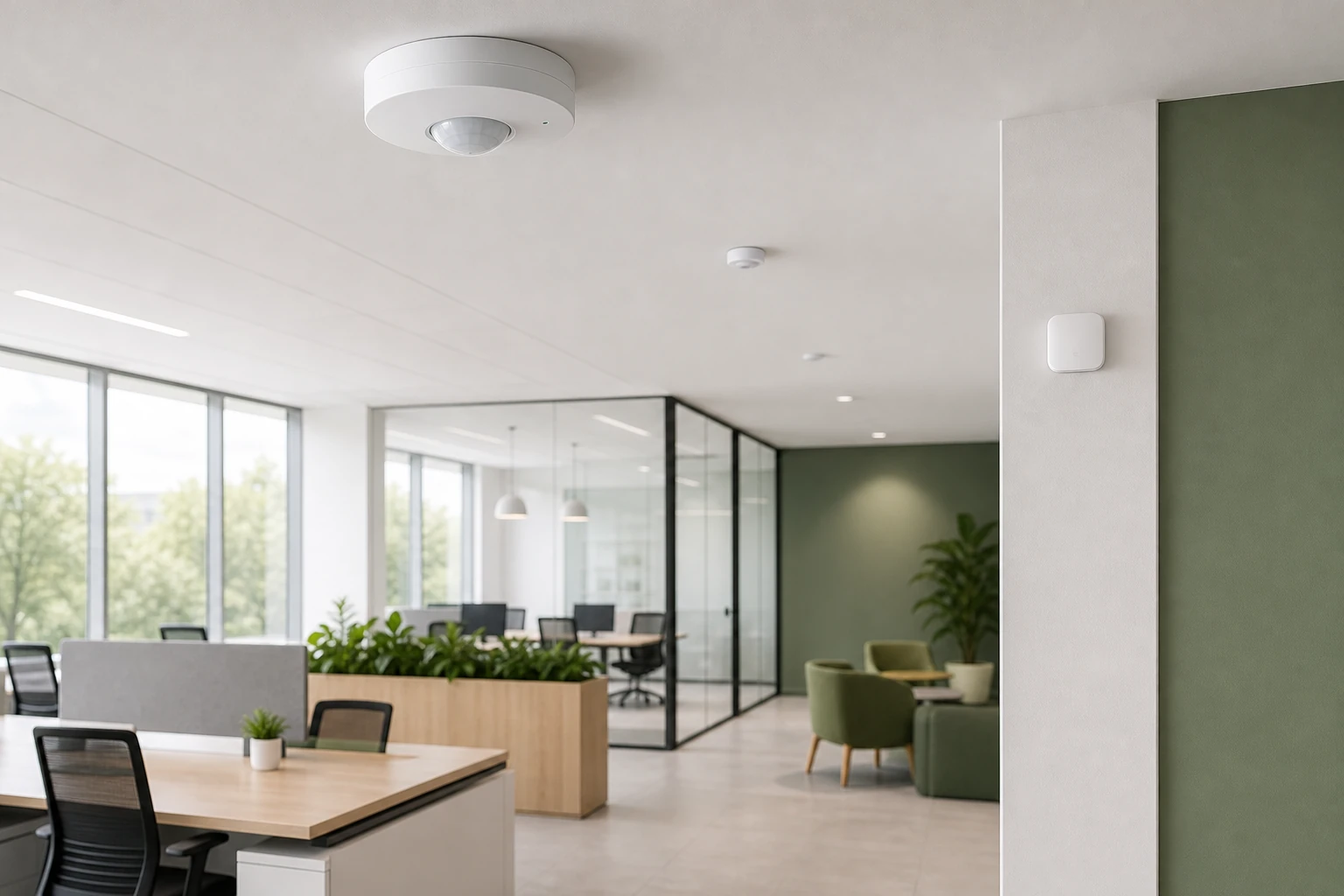
Choose an occupancy sensor light by matching sensing technology to the room. PIR suits open, line-of-sight spaces, ultrasonic and dual-technology sensors suit cluttered rooms like restrooms, and mmWave radar detects still people. Then pick Auto-ON or manual-ON vacancy mode, size coverage and mounting, and set time delay and sensitivity.
A sensor that suits one room can fail in the next. It switches lights off on a person sitting still at a desk, or turns them on for a cleaner walking past a glass door. Each failure comes from a mismatch between the sensor and the space. This guide covers choosing by technology, mode, room, and setup.
How does an occupancy sensor light work?
At its core, an occupancy sensor light detects whether people are in a space and switches the lighting accordingly. The sensor watches for a signal of presence, such as body heat, movement, or reflected sound or radio waves. When it detects that signal, it turns the light on or keeps it on. When the signal disappears for a set period, it turns the light off.
That "set period" matters. The sensor does not cut power the instant motion stops. A time delay holds the light on for a few minutes, so a brief pause does not leave someone in the dark.
Occupancy sensors are not a niche technology. More than 62% of US office buildings have integrated occupancy sensors, according to precisionreports.co's 2026 market report. The same report puts passive infrared (PIR) sensors at 45% of market deployment.
In simple terms, the sensing method decides where a sensor works well and where it misses people. The next section compares the main types.
Which type of occupancy sensor is right for your space: PIR, ultrasonic, microwave or mmWave?
No single technology wins everywhere. PIR suits open rooms with a clear line of sight. Ultrasonic and dual-technology sensors suit cluttered or partitioned rooms. mmWave radar suits spaces where people sit still. The right choice depends on what stands between the sensor and the people it needs to detect.
PIR is the most common choice, with 45% of market deployment. It senses changes in infrared heat across its field of view. That makes it reliable in open offices and corridors, but it needs line of sight. A partition or a stall wall blocks it.
Ultrasonic sensors emit high-frequency sound and listen for changes in the echo. Sound bends around obstacles, so they pick up movement behind furniture and inside restroom stalls. Microwave sensors work on a similar principle with radio waves. They cover wide areas but can pass through thin walls, which causes false triggers.
Dual-technology sensors combine two methods, usually PIR with ultrasonic or microwave, and require both to agree before acting. That cuts false triggers and false shutoffs.
mmWave radar is the newer option. It detects tiny movements such as breathing, so it can hold a light on for someone reading or working quietly. Three consumer products show the range:
- Aqara FP2: uses 60 GHz mmWave radar to detect static human presence, track up to 5 people, and map 30 distinct zones. It is a wired sensor that needs constant USB-C power, and setup is reported as involved.
- Apollo MSR-2: detects occupancy with mmWave radar and adds illuminance, UV, and optional CO2 sensing. It is oriented toward ESPHome and Home Assistant users and has a narrower 60-degree detection angle than some competitors.
- Aqara FP300: combines PIR and mmWave to detect presence while saving battery life, and includes light, temperature, and humidity sensors. It runs on two CR2450 batteries and does not support the zone mapping of the FP2.
| Sensing method | Detects still people | Typical use |
|---|---|---|
| PIR | No, needs movement | Open offices, corridors, storage rooms with clear line of sight |
| Ultrasonic | Partly, picks up small movements | Restrooms, cluttered rooms, partitioned spaces |
| Microwave | Partly, picks up small movements | Large areas, though it can trigger through thin walls |
| Dual technology (PIR plus ultrasonic or microwave) | Partly, depending on the pairing | Conference rooms, classrooms, spaces with mixed activity |
| mmWave radar, such as the Aqara FP2 and Apollo MSR-2 | Yes, detects static presence | Bedrooms, home offices, zoned rooms |
| PIR plus mmWave, such as the Aqara FP300 | Yes | Battery-powered presence in small rooms |
Occupancy vs vacancy sensors: should lights turn on automatically?
An occupancy sensor turns lights on automatically when someone enters (Auto-ON) and off after the room empties. A vacancy sensor turns lights off automatically but waits for a person to switch them on (manual-ON). The difference looks small. It changes both comfort and energy use.
Auto-ON suits spaces where hands are often full or where people want light immediately. Restrooms, storage rooms, corridors, and open offices fit this pattern. The light is ready the moment someone walks in, and no one has to find a switch.
Manual-ON suits spaces with daylight, or where people may not want light at all. Bedrooms, daylit offices, and rooms with windows fit here. A person decides whether the light is needed, so the system never turns on a lamp that natural light could cover. In practice, this often saves more energy than Auto-ON in the same room, because the lights start from "off" rather than "on".
The choice also affects code compliance. Many energy codes call for manual-ON or partial-ON behavior in certain space types, so check local requirements before specifying a mode. Some sensors let installers switch between the two modes, which keeps options open if a room changes use.
How to choose and set up an occupancy sensor light, step by step
Selecting a sensor is a sequence of decisions, not a single purchase. Working through the steps in order keeps the technology, mounting, and settings in line with how the room is used.
-
Identify spaces that are used intermittently. Start with rooms that sit empty for long stretches: storage rooms, restrooms, meeting rooms, corridors, and stairwells. These are where lights are most often left on with no one present. A space occupied all day, such as a call center floor, gains little from switching and may even annoy occupants if lights flicker off.
-
Select the sensor product for the room. Match the technology to the layout, using the comparison above. Open rooms with clear sight lines suit PIR. Cluttered or partitioned rooms suit ultrasonic or dual technology. Rooms where people sit still for long periods suit mmWave. Coverage area matters as much as technology. A sensor rated for a small office will leave dead zones in a large conference room, so check the rated coverage against the floor area, and use more than one unit where a single sensor cannot see the whole space. Choose the mounting style at the same time: ceiling-mounted units give wide coverage, wall-mounted units suit corridors and small rooms, and switch-style sensors replace an existing wall switch.
-
Determine the mounting location and orientation. Place the sensor where it has the clearest view of the areas people actually use, not just the doorway. Keep PIR units pointed across the direction of travel rather than straight at it, because PIR detects movement across its field of view more readily than movement toward it. Keep sensors away from HVAC vents, heaters, and windows, which create heat or air movement that can trigger false readings.
-
Configure time delay and sensitivity. A short delay saves more energy but risks switching off on a quiet occupant. A longer delay is safer for rooms where people sit still. Set sensitivity high enough to catch small movements at the edge of the coverage zone, but low enough to ignore a hallway beyond an open door. Start in the middle and adjust from there.
-
Calibrate, then recalibrate periodically. Walk the room after setup to confirm the lights respond at the edges of the coverage area and stay on while someone sits still. Revisit the settings after furniture moves, partitions change, or the room takes on a new use. Small layout changes are a common reason sensors drift out of tune.
Do you need an electrician to install a sensor light, and what does it cost?
Whether an electrician is needed depends on how the sensor is powered and where it connects. Battery-powered and plug-in sensors are realistic DIY jobs. Sensors that replace a wall switch or tie into existing circuit wiring usually call for a licensed electrician, and local rules may require one regardless of skill.
Wireless sensors cut labor because no new wiring runs back to the controller. They mount with an adhesive or screw, pair with a hub or app, and start working. The trade-off is upkeep: battery units need replacement cells over time. Among the products above, the Aqara FP300 runs on two CR2450 batteries. The Aqara FP2 is wired and needs constant USB-C power, and its setup is reported as involved.
Wired sensors, such as switch replacements and ceiling units on line voltage, take more labor up front. Pulling cable, mounting junction boxes, and testing the circuit add time, particularly in finished ceilings. In exchange, they avoid battery changes and suit large commercial installs where dozens of units need consistent power.
Price varies widely by technology and by how many features a sensor carries. mmWave sensors span a range. More zones, more tracked people, and extra environmental sensing generally push a unit toward the premium end. Basic PIR switches are typically the lowest-cost option. For any price question, compare current quotes and add installation labor to the unit price before deciding.
Are motion sensor light switches worth it? Energy savings by room type
Yes, in most intermittently used spaces. A study cited in the journal Sensors, as reported by Lighting Controls Academy, found that occupancy-based controls can lower commercial lighting energy use by as much as 45%. That figure is an upper bound, not a typical result. Actual savings depend on how often a room sits empty.
Room type matters here. Restrooms, storage rooms, meeting rooms, and corridors tend to pay back fastest, because lights there often burn for hours with no one present. Constantly occupied spaces, such as a staffed reception desk or a 24-hour control room, save little, because the lights would stay on anyway.
One real example shows the scale. A Dubai-based office achieved $3,000 in annual savings on electricity bills after implementing automated lighting controls, as reported by Sensgreen. That is one office, not a guarantee. The Dubai office lighting case study gives the context.
Adoption still has room to grow. CBECS 2018 data shows that 27% of US commercial buildings have lighting controls like occupancy sensors or time clocks installed. Many buildings still leave savings uncaptured.
Calibrating and maintaining your sensors so lights stay reliable
A sensor that works on installation day can drift out of tune within months. Furniture moves, partitions go up, and a room changes use. Commissioning and upkeep belong to one ongoing routine.
- Set the time delay for the room. Short delays suit restrooms and corridors. Longer delays suit offices and meeting rooms where people sit still.
- Tune sensitivity at the coverage edge. Walk the perimeter and confirm the light responds. Lower the setting if a hallway beyond an open door keeps triggering it.
- Test for still occupants. Sit motionless at a desk for the length of the delay. If the light drops, lengthen the delay or move to dual-technology or mmWave sensing.
- Check placement against heat and air. Sensors facing HVAC vents, heaters, or sunny windows produce false triggers.
- Look for blocked sight lines. New furniture, shelving, and plants can create blind spots for PIR units.
- Recalibrate on a schedule. Repeat the walk test after layout changes and at regular intervals. In a survey of business leaders, 45% of those planning workplace management solutions were deploying occupancy and environmental sensors, according to Johnson Controls' 2026 survey. More sensors means more settings to keep accurate.
- Replace batteries before they fail. For battery units, log the change date so a dead cell does not leave a room dark.
Over time, small drifts turn into larger consequences: lights that stay on in empty rooms, or switch off on people. A short check catches both.
Occupancy sensors and green building certification
Sensor-based lighting control supports the energy and operations goals that green building programs reward. Certifications such as LEED, WELL, and RESET look at how buildings use energy and how well they perform for occupants. Occupancy sensors are a visible, low-complexity step toward both. More than 62% of US office buildings already use integrated occupancy sensors, while only 27% of US commercial buildings have any lighting controls at all. In offices, then, sensors are a baseline expectation more than a differentiator. Credit still depends on each program's own requirements, so check them before counting a sensor toward a rating. The green building certifications guide covers how LEED, WELL, and RESET differ.
Standalone sensors switch lights. They do not show how a building performs as a whole. That is where Sensgreen starts to matter, including its occupancy analytics for tracking how spaces are actually used. It connects IoT sensors and building systems to a cloud platform that monitors energy use, indoor air quality, and occupancy in real time. Facility managers can automate HVAC and lighting controls, set up alerts, and review performance from a single dashboard. Its wireless, cloud-based BMS (building management system) layer also lets buildings without legacy infrastructure add these capabilities.
Prices and plan limits verified as of November 2026.
FAQs
How does an occupancy sensor work?
An occupancy sensor detects a signal that indicates presence, such as body heat, movement, or reflected sound or radio waves. When it picks up that signal, it turns the light on or keeps it on. When the signal stops for a set time delay, it turns the light off. The sensing method decides which rooms the sensor suits.
What is the price of a motion sensor light?
Price depends on the sensing technology and the features. Basic PIR switches are typically the lowest-cost option. mmWave sensors span budget and premium tiers, with more zones, tracked people, and extra environmental sensing pushing a unit higher. Installation labor adds to the total, so compare current quotes rather than unit prices alone.
Do I need an electrician to install a sensor light?
Battery-powered and plug-in sensors are realistic DIY jobs. Sensors that replace a wall switch or connect to existing circuit wiring usually call for a licensed electrician, and local rules may require one. Wireless units reduce labor because no new wiring is needed, though battery units need replacement cells over time.
Are motion sensor light switches worth it?
In intermittently used spaces, yes. Occupancy-based controls can lower commercial lighting energy use by as much as 45%, though that is an upper bound. Restrooms, storage rooms, meeting rooms, and corridors pay back fastest. Spaces that are occupied constantly save little, because the lights would stay on anyway.
Can an occupancy sensor turn lights off while someone sits still at a desk?
Yes. PIR sensors detect movement across their field of view, so a person sitting very still can go unnoticed. Fixes include a longer time delay, higher sensitivity, a dual-technology sensor, or mmWave radar, which detects small movements such as breathing. Test by sitting motionless for the full delay after setup.
How often should occupancy sensors be recalibrated?
No single interval fits every building. Recalibrate whenever furniture moves, partitions change, or a room takes on a new use, and add a periodic walk test to routine maintenance. Battery units should also be checked on a schedule so a depleted cell does not cause missed detections.
Conclusion
The right occupancy sensor light comes from matching technology to the room. PIR fits open spaces, ultrasonic and dual-technology units fit cluttered ones, and mmWave fits rooms where people sit still. Pair that with the right mode, sensible coverage and mounting, and a time delay that fits how the room is used.
Start with the rooms that sit empty longest, such as restrooms, storage, and meeting rooms. Choose the sensor for each, then walk-test it after setup and again after any layout change.
